I nearly shipped a build that looked healthy. First launch, missing dependency, dead. That kind of failure earns its keep, because it points straight at the spot where the app still behaves like a script rather than software. So the first thing I fixed wasn't the recording code, and it wasn't the UI or the transcription path either. I fixed startup.
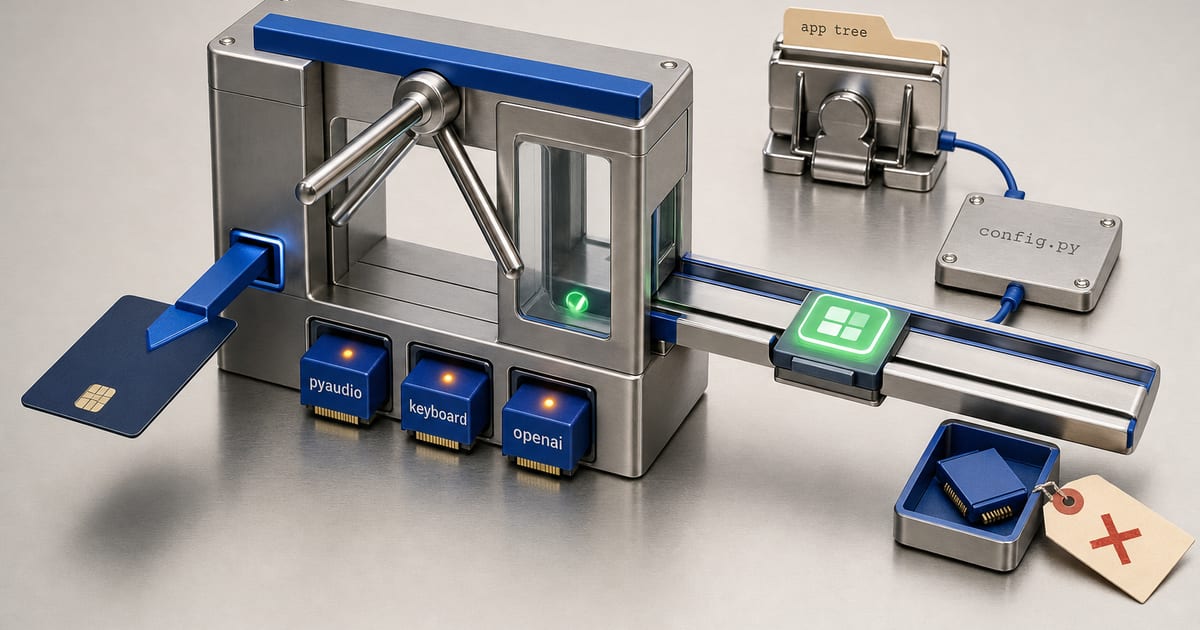
Think of it as a turnstile. The app either has the pieces it needs and moves forward, or it stops on the spot and says what's missing. No half-start. No traceback buried inside a partial initialization, and no false impression that the app is ready when it isn't.
Yapper is a speech-to-text desktop app that types wherever the cursor is sitting, and the repo supports two entry points: console mode and tray mode. The main entry file is the cleanest place to study it. Almost no ceremony there: import search paths, then dependency checks, then the rest of the application core.
The first real job: fail early and explain why
The most important thing the entry file does has nothing to do with transcription. It's dependency validation. check_dependencies() is defined before any of the heavier imports run, and it checks the exact three packages the console path needs: pyaudio, keyboard, and openai.
Order is the whole trick here. Delay those imports until after the app has started constructing runtime objects and the failure gets noisy, late, and expensive to trace back to whatever actually caused it. Check first and a missing prerequisite becomes a single readable startup message.
Here's the core of it:
import platform
import sys

def check_dependencies():
    missing = []

    try:
        import pyaudio  # noqa: F401
    except ImportError:
        missing.append('pyaudio')

    try:
        import keyboard  # noqa: F401
    except ImportError:
        missing.append('keyboard')

    try:
        import openai  # noqa: F401
    except ImportError:
        missing.append('openai')

    if missing:
        print()
        print('  Missing dependencies. Please install them:')
        print('    pip install ' + ' '.join(missing))
        if 'pyaudio' in missing:
            system = platform.system()
            if system == 'Windows':
                print()
                print('  For PyAudio on Windows, you may need:')
                print('    pip install pipwin')
                print('    pipwin install pyaudio')
            elif system == 'Darwin':
                print()
                print('  For PyAudio on macOS:')
                print('    brew install portaudio')
                print('    pip install pyaudio')
            else:
                print()
                print('  For PyAudio on Linux, first install:')
                print('    sudo apt-get install python3-pyaudio portaudio19-dev')
        sys.exit(1)
Three decisions are packed in there.
It records missing modules in a list instead of failing on the first import error. So the user sees the entire install problem in one run rather than discovering it one package at a time. All three absent? All three get reported, which saves a round trip through the startup path.
pyaudio gets its own branch. That's the package most likely to need platform-specific hand-holding, so the function reads the operating system and prints the right next step, the pipwin route on Windows, Homebrew's portaudio on macOS, the apt-get line on Linux. Cosmetic it is not. That branch is the difference between a useful error and a support ticket.
And then it exits. Immediately. If a desktop app can't import its essential runtime packages, limping into a partial state so it can fail later and deeper, somewhere down in the audio pipeline, is worse than stopping right there at the door.
Why the import order matters
Right above the dependency check, the entry file adds the application directory to the Python import path. Then the check runs. Only after that does it import the rest of the core layer from core.
That ordering is the startup architecture. Make the application modules importable, confirm the external packages exist, then assemble the working system, in that sequence and no other. The environment gets validated before the app constructs a settings object, audio recorder, transcriber, text typer, sound player, voice activity detector, or transcription history.
Those classes aren't decorative. The recorder leans on the audio stack, the transcriber on the OpenAI client, and hotkey behavior comes straight out of the keyboard module. Miss one and the app should fail before it tries to bind any of them into a live recording session.
Here's the launch sequence as a map:
The settings file is pinned to the app tree
The other startup decision worth your attention is where settings live. The config module centralizes it in three pieces: a private settings file variable, a getter, and a setter.
The default path is computed from the application directory. Not the current working directory. For a portable desktop app that's the only sane choice, and it's what makes startup behavior repeatable, because you can launch from any shell or either entry point and the app still finds the same settings file.
from pathlib import Path
from typing import Optional

_SETTINGS_FILE: Optional[Path] = None

def get_settings_path() -> Path:
    global _SETTINGS_FILE
    if _SETTINGS_FILE is None:
        app_dir = Path(__file__).parent.parent.resolve()
        _SETTINGS_FILE = app_dir / 'settings.json'
    return _SETTINGS_FILE


def set_settings_path(path: Path) -> None:
    global _SETTINGS_FILE
    _SETTINGS_FILE = path
Users never notice this when it's right and notice instantly when it's wrong. Tie settings to the working directory and the app turns fragile: start it from one folder, get one behavior; start it from another, get a different one. Anchoring the path to the app tree keeps persistence stable across launches.
The config module also imports default settings, the settings schema, supported languages, and hotkey definitions from a constants module. That tells you where the contract lives. The constants file defines what a valid configuration looks like; the config layer loads, saves, and validates against it.
I care about that separation more than it probably sounds. The persistence layer has no business deciding what a language means or which hotkeys are legal. Enforce the contract, then get out of the way.
How startup settings shape the runtime
Past the dependency gate, Yapper builds its runtime from the settings object, and the startup path becomes a working session.
The constructor turns a settings dictionary into live configuration for everything downstream. The recorder gets the selected audio device index. The transcriber gets the API key, the language hint, the translation target, the grammar correction flag, and wake-word cleaning switched off. The sound feedback object honors the audio feedback toggle, voice activity detection reads the volume threshold and can be disabled entirely, and transcription history obeys the save-history flag.
A lot of state moves through one constructor. Reading it as "load a JSON file" undersells what happens there, because that constructor is deciding how the entire session will behave, which is exactly why the startup path is worth understanding.
Four details stand out:
- Wake-word cleaning is explicitly disabled in console mode. That behavior belongs to the background-oriented tray path, not the hotkey-driven console path.
- The recorder is parameterized with the selected device index, so the app can target a specific microphone instead of assuming a default device forever.
- Voice activity detection is optional. If it's disabled in settings, the app never creates it.
- Transcription history is optional too, controlled by the save-history setting.
Nothing flashy in there. It's just where startup settings turn into runtime behavior.
The audio layer is why dependency checks exist at all
Open the audio module and the gate justifies itself. The recorder is built around one specific configuration: 16 kHz sample rate, mono input, 1024-sample chunks, 16-bit sample width. Those numbers describe a concrete recording path that expects the audio stack to be present and operational, not a vague wrapper around audio.
The device enumeration module adds microphone enumeration and device selection. The app can only make a meaningful choice about recording if it can inspect the available input devices... which is the other reason the audio library gets special treatment up in the dependency check.
Risk pushed to the front, in other words. If audio support is missing, you hear about it before the app opens a recorder or sits waiting for a hotkey, and that's the right place for the failure.
The API client is the next explicit failure boundary
Startup isn't the only disciplined part of the app. The API module wraps the OpenAI interaction in a narrow client with explicit exception types and retry settings: custom errors for general failures, connection problems, and rate limiting, a thirty-second timeout, three max retries, and exponential backoff delays of one, two, and four seconds.
class APIError(Exception):
    pass


class APIConnectionError(APIError):
    pass


class APIRateLimitError(APIError):
    pass


class APIClient:
    DEFAULT_TIMEOUT = 30
    MAX_RETRIES = 3
    RETRY_DELAYS = [1, 2, 4]
That wrapper earns its place because startup validation and runtime network handling are different problems. The dependency check defends against missing local prerequisites. The API client defends transcription against network instability and rate limiting. Between them you get a failure model you can predict: either the machine is missing something and the app won't start, or it starts and then reports network trouble in a controlled way.
That's what makes the system feel intentional. The OpenAI client doesn't get treated as an afterthought. It gets the same explicit structure as the startup path.
What the gate buys you
What I trust most in this codebase is its refusal to pretend startup is trivial. The entry file validates the environment before it imports the core layers. The config module pins settings to a known location. The API module wraps network interaction in explicit error types and retries. Easier to reason about, easier to launch, easier to debug.
A good desktop startup path narrows the unknowns before the user ever records a word. Once that gate opens, the rest of the app gets on with its real job, capturing audio, transcribing it, typing the result, and none of the avoidable startup surprises come along for the ride.